Unity 3D Tutorial: Building 3D Games from Scratch
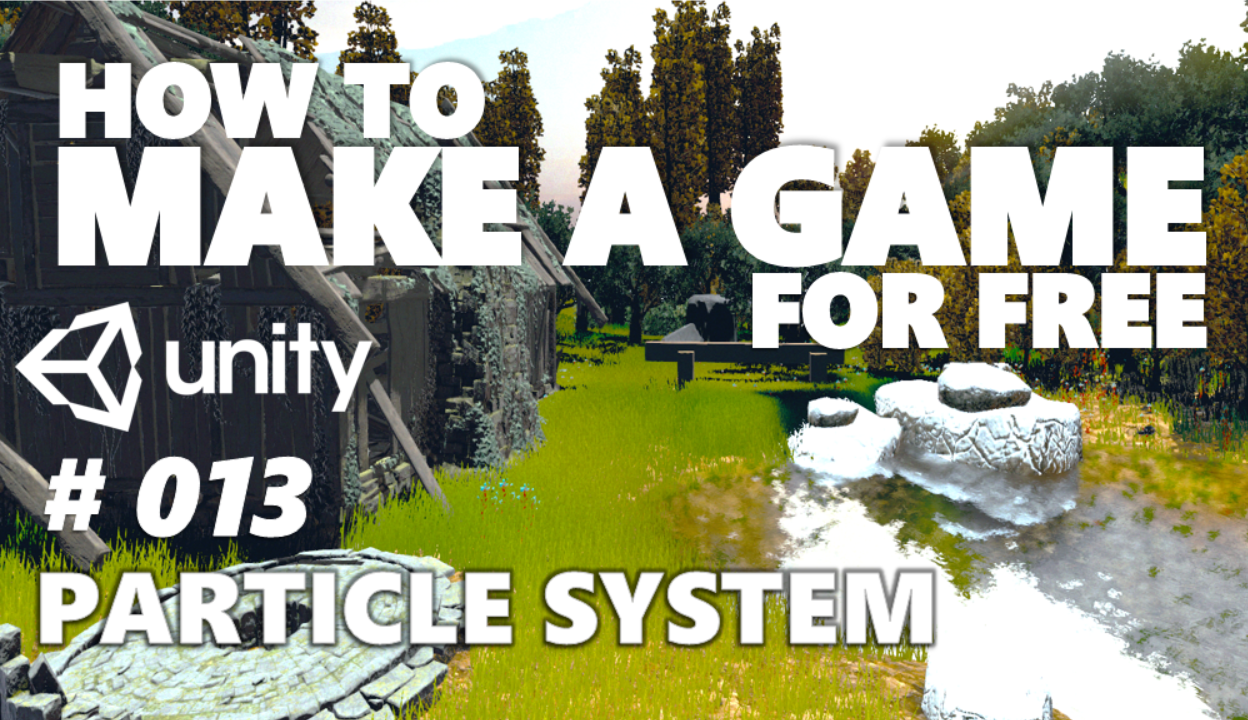
Ever dreamed of crafting your own immersive 3D game world? Imagine bringing your characters to life, designing intricate levels, and sharing your creation with the world. It sounds ambitious, right? But with the right guidance and a dash of creativity, it's entirely within your reach!
Many aspiring game developers find themselves lost in the vast ocean of information available online. Knowing where to start, understanding the fundamentals, and avoiding common pitfalls can feel like navigating a maze blindfolded. It's easy to get bogged down in complex tutorials or overwhelmed by technical jargon, leading to frustration and a sense of being stuck before you've even begun.
This tutorial aims to demystify the process of building 3D games from scratch using Unity, a powerful and versatile game engine. We'll guide you through the essential steps, from setting up your environment to creating basic gameplay mechanics, all while keeping things clear, concise, and beginner-friendly.
In this article, we embark on a journey to unlock the world of 3D game development with Unity. We'll cover the basics of the Unity interface, scripting in C#, creating game objects, implementing movement and interaction, and ultimately, building a playable game. By the end, you'll have a solid foundation to build upon and the confidence to tackle more ambitious projects. Get ready to unleash your inner game developer!
First Steps in Unity 3D Game Development
My first foray into Unity was… well, a bit of a disaster. I had grand visions of an epic open-world adventure, but I couldn't even figure out how to make a cube move! I spent hours wrestling with the interface, copy-pasting code snippets I didn't understand, and generally feeling lost and overwhelmed. Looking back, I realize I was trying to run before I could walk. I skipped the fundamentals and jumped straight into complex concepts, which only led to frustration. What I needed was a structured approach, a clear roadmap that started with the basics and gradually built up to more advanced techniques.
That's why I'm passionate about providing a clear and beginner-friendly introduction to Unity. The goal is not just to teach youhowto do things, but alsowhyyou're doing them. Understanding the underlying principles is crucial for building a solid foundation and becoming a confident game developer. We will start with understanding the interface, creating basic game objects, and writing simple C# scripts. Don't be afraid to experiment and play around – that's how you truly learn! There are a lot of great tutorials out there for game development to show you how to use Unity. In the meantime, let's get started!
What is a Unity 3D Tutorial?
A Unity 3D tutorial, in its essence, is a guided learning experience designed to equip individuals with the knowledge and skills necessary to create 3D games using the Unity game engine. It typically involves a step-by-step approach, covering various aspects of game development, from setting up the Unity environment to designing levels, scripting game logic, and implementing art and sound assets. These tutorials come in various forms, including written guides, video lessons, interactive courses, and even live workshops. They cater to different skill levels, ranging from absolute beginners to experienced programmers looking to expand their expertise into the realm of game development.
The best tutorials focus on practical application, providing hands-on exercises and real-world examples to reinforce learning. They break down complex concepts into manageable chunks, explain technical jargon in plain language, and offer troubleshooting tips to help learners overcome common obstacles. Moreover, effective Unity tutorials often foster a sense of community, encouraging learners to connect with each other, share their progress, and seek help when needed. You will quickly learn the basics of game development with Unity. The more you learn, the better game developer you will become!
History and Myth of Unity 3D Tutorial
The "history" of the Unity 3D tutorial is as old as Unity itself. As the game engine grew in popularity, so did the need for educational resources to help aspiring developers navigate its features and capabilities. The early tutorials were often community-driven, with passionate users sharing their knowledge and experiences through blog posts, forum discussions, and rudimentary video tutorials. These early efforts laid the groundwork for the more structured and comprehensive tutorials we see today.
The "myth" surrounding Unity tutorials is perhaps the notion that they can magically transform anyone into a master game developer overnight. While tutorials provide a valuable starting point, they are not a substitute for dedication, practice, and a willingness to experiment. The journey of game development is a continuous learning process, and tutorials are merely one tool in your arsenal. The real magic happens when you take what you've learned and apply it to your own creative projects, pushing the boundaries of your skills and imagination. In the meantime, let's get started and learn more about game development with Unity!
Hidden Secrets of Unity 3D Tutorial
The "hidden secret" of a good Unity 3D tutorial isn't necessarily a groundbreaking technique or a secret API call. Instead, it's often the subtle details that elevate a tutorial from merely informative to truly transformative. One such secret is the importance of clear and concise explanations. A great tutorial avoids unnecessary jargon and breaks down complex concepts into digestible chunks, making it easier for learners to grasp the underlying principles. It doesn't just tell youwhatto do, but alsowhyyou're doing it, fostering a deeper understanding of the subject matter.
Another hidden secret is the value of encouraging experimentation. A truly effective tutorial doesn't just provide step-by-step instructions; it encourages learners to play around with the code, modify parameters, and explore different possibilities. This hands-on approach not only reinforces learning but also sparks creativity and fosters a sense of ownership over the project. Finally, a hidden secret lies in the power of community. A good tutorial often includes opportunities for learners to connect with each other, share their progress, and seek help when needed. This collaborative environment not only provides support but also inspires and motivates learners to push their boundaries.
Recommendations of Unity 3D Tutorial
When it comes to recommending Unity 3D tutorials, my advice is to start small and build your way up. Don't try to tackle complex projects right away. Instead, focus on mastering the fundamentals first. Look for tutorials that cover the basics of the Unity interface, C# scripting, and game object manipulation. Once you have a solid grasp of these concepts, you can gradually move on to more advanced topics.
There are countless online resources available, including the official Unity documentation, video tutorials on You Tube, and interactive courses on platforms like Udemy and Coursera. Experiment with different resources and find the ones that best suit your learning style. Some people prefer video tutorials, while others prefer written guides. Don't be afraid to try different things until you find what works for you. I'd recommend the official Unity Learn platform as it has official tutorials that is very good and free to use. As with anything, make sure you back up your project at all times. You can do this either by saving it as a new file, or by using an online versioning control system like Git.
Unity 3D: Creating a Simple Game
One of the best ways to learn Unity is by creating a simple game. This hands-on approach allows you to apply the concepts you've learned and see the results of your efforts in real-time. A classic starting point is a simple "roll-a-ball" game, where the player controls a ball and navigates it through a 3D environment to collect objects. This project covers a wide range of fundamental concepts, including creating game objects, scripting player movement, implementing collision detection, and designing basic UI elements. Another great option is a simple platformer game, where the player controls a character that can jump and move through a 2D or 3D environment. This project introduces concepts such as character animation, camera control, and level design.
The key is to choose a project that is challenging enough to be engaging but not so complex that it becomes overwhelming. As you work on your project, don't be afraid to consult online resources and ask for help when needed. The Unity community is incredibly supportive and there are plenty of experienced developers who are willing to share their knowledge. The more you develop with Unity, the more you will learn, and the better you will get at developing games with Unity.
Tips for Unity 3D Tutorial
One of the most crucial tips for getting the most out of Unity 3D tutorials is to actively engage with the material. Don't just passively watch videos or read through text; instead, follow along with the tutorial and implement the concepts yourself. This hands-on approach will not only reinforce your understanding but also help you identify any gaps in your knowledge. Another essential tip is to break down complex tutorials into smaller, more manageable chunks. If a tutorial covers a wide range of topics, focus on mastering one concept at a time before moving on to the next. This will prevent you from feeling overwhelmed and ensure that you retain the information more effectively.
Also make sure to take breaks as often as you need. Do not sit for hours trying to learn a new concept. Taking breaks can help ease your mind and allow you to better absorb the new information. Another important tip is to be patient and persistent. Game development is a complex and challenging field, and you will inevitably encounter obstacles along the way. Don't get discouraged by setbacks; instead, view them as learning opportunities and keep pushing forward. The best thing you can do is take your time and stay patient. A Unity game developer can come from anywhere, so don't be afraid to go slow and learn all you can!
Advanced Scripting Techniques
Delving deeper into Unity scripting reveals a world of possibilities for creating dynamic and interactive gameplay experiences. Advanced scripting techniques, such as using interfaces, delegates, and events, allow you to write more modular, reusable, and maintainable code. Interfaces define contracts that classes can implement, enabling polymorphism and decoupling. Delegates are type-safe function pointers that allow you to pass methods as arguments, enabling event-driven programming. Events provide a mechanism for objects to notify other objects when something interesting happens, allowing for flexible and scalable communication between different parts of your game.
Another advanced scripting technique is the use of coroutines, which allow you to execute code asynchronously over multiple frames. Coroutines are particularly useful for tasks such as animations, fading effects, and loading assets. Furthermore, mastering Unity's built-in physics engine opens up new avenues for creating realistic and engaging gameplay. Understanding concepts such as rigidbodies, colliders, and joints allows you to simulate realistic physics interactions between game objects. There are plenty of scripting tutorials on the internet that can help you learn more about these concepts.
Fun Facts of this Unity 3D Tutorial
Did you know that Unity was originally created as a tool to help developers create games more easily? Before Unity, game development was often a complex and time-consuming process, requiring specialized knowledge of programming languages and graphics APIs. Unity aimed to democratize game development by providing a user-friendly interface and a comprehensive set of tools that made it easier for anyone to create games, regardless of their technical expertise.
Another fun fact is that Unity is used to create games across a wide range of genres, from casual mobile games to AAA console titles. Some popular games made with Unity include "Pokémon Go," "Hearthstone," and Cuphead.This versatility is one of the reasons why Unity is such a popular choice among game developers. In addition to games, Unity is also used in other industries, such as architecture, engineering, and film, for creating interactive visualizations and simulations. The possibilities are endless, and Unity is constantly evolving to meet the needs of its diverse user base. It is a game engine with unlimited potential!
How to Unity 3D Tutorial
Learning how to Unity 3D is a journey, not a destination. The key is to start with the fundamentals and gradually build your knowledge and skills over time. Begin by familiarizing yourself with the Unity interface, including the scene view, game view, hierarchy window, and inspector panel. Understand how to create and manipulate game objects, add components, and write basic C# scripts. There are also plenty of premade scripts that you can download online as well that can help get you started.
Once you have a solid grasp of the basics, you can start exploring more advanced topics, such as animation, physics, UI design, and networking. There are countless online resources available to help you learn Unity, including the official Unity documentation, video tutorials on You Tube, and interactive courses on platforms like Udemy and Coursera. Experiment with different resources and find the ones that best suit your learning style. Most of all, don't be afraid to experiment and try new things. The best way to learn Unity is by doing, so dive in and start creating your own games!
What if Unity 3D Tutorial
What if Unity 3D tutorials didn't exist? Imagine a world where aspiring game developers had to learn everything from scratch, without the benefit of guided instruction or step-by-step examples. The learning curve would be significantly steeper, and many potential developers might be discouraged from pursuing their passion. The game development industry would likely be less diverse and accessible, with fewer independent developers and studios.
The absence of Unity tutorials would also hinder innovation and collaboration. Developers would be less likely to experiment with new techniques and technologies, and the sharing of knowledge and best practices would be significantly reduced. The overall quality and diversity of games might suffer as a result. Thankfully, Unity tutorials do exist, and they play a vital role in empowering developers to create amazing games and experiences. Game tutorials are a vital resource in the industry, as they can teach the basics of game development to beginners, or teach more advance concepts to veterans!
Listicle of Unity 3D Tutorial
Here's a quick list of essential topics to cover in any comprehensive Unity 3D tutorial:
1.Unity Interface: Understanding the layout and functionality of the Unity editor.
2.Game Objects: Creating, manipulating, and organizing game objects in the scene.
3.Components: Adding and configuring components to define the behavior of game objects.
4.C# Scripting: Writing code to control game logic, interact with user input, and manipulate game objects.
5.Animation: Creating and controlling animations for characters and objects.
6.Physics: Implementing realistic physics interactions between game objects.
7.UI Design: Creating user interfaces for menus, HUDs, and other interactive elements.
8.Lighting and Rendering: Optimizing lighting and rendering settings for visual quality and performance.
9.Audio: Integrating sound effects and music into the game.
10.Build and Deployment: Building and deploying the game to different platforms.
This list provides a solid foundation for building 3D games in Unity.
Question and Answer of Unity 3D Tutorial
Q: What is Unity?
A: Unity is a cross-platform game engine that allows developers to create 2D and 3D games for various platforms, including mobile, desktop, and consoles.
Q: Is Unity free to use?
A: Unity offers a free version for personal use and small businesses, as well as paid subscription plans for larger studios and enterprises.
Q: What programming language does Unity use?
A: Unity primarily uses C# as its scripting language.
Q: Where can I find Unity tutorials?
A: There are many online resources for learning Unity, including the official Unity Learn platform, You Tube channels, and online courses.
Conclusion of Unity 3D Tutorial
Embarking on the journey of 3D game development with Unity can seem daunting at first, but with the right guidance and a healthy dose of perseverance, it's an incredibly rewarding experience. By starting with the fundamentals, actively engaging with tutorials, and never being afraid to experiment, you can unlock your creative potential and bring your game ideas to life. Remember that learning is a continuous process, so embrace challenges, seek out knowledge, and most importantly, have fun! The world of Unity is vast and exciting, and there's always something new to discover. So, take the plunge, start building, and let your imagination soar!
Post a Comment