Unreal Engine Optimization: Performance Tuning for Game Development
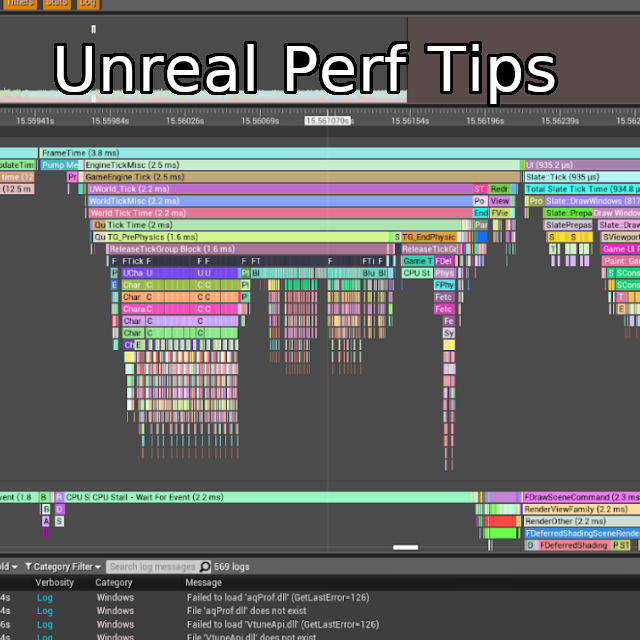
Imagine your meticulously crafted game, bursting with stunning visuals and intricate mechanics, brought to its knees by frustrating performance issues. Frame rates plummet, animations stutter, and the immersive experience you've strived to create crumbles before your players' eyes. It's a nightmare scenario for any game developer.
Developing a game, especially in a powerful engine like Unreal, can quickly become a balancing act. The desire to push visual fidelity and complexity often clashes with the need to maintain smooth and consistent performance. This can lead to situations where you're constantly firefighting, trying to identify and fix performance bottlenecks that seem to appear out of nowhere, hindering your creative flow and delaying your project.
The target of Unreal Engine optimization is to make your game run as smoothly as possible on the target hardware, providing a great user experience while maintaining the visual quality you desire. It's about finding the sweet spot where performance and fidelity meet, ensuring your game is both beautiful and playable.
This article will delve into the world of Unreal Engine optimization, providing practical techniques and strategies to enhance your game's performance. We'll explore topics such as profiling tools, level optimization, rendering techniques, and code optimization, giving you the knowledge and tools to tackle performance challenges head-on and create a game that runs like a dream, by focusing on optimization techniques, performance tuning, and engine settings.
Understanding Profiling Tools
Profiling tools are the cornerstone of effective performance optimization. They allow you to peek under the hood and identify the exact areas where your game is struggling. I remember when I was working on a complex scene with lots of dynamic lighting; the frame rate was abysmal. I was tearing my hair out trying to figure out what was wrong, until I finally used the Unreal Engine's built-in profiler. It turned out that the shadow calculations were the culprit, consuming a huge chunk of the CPU time. Once I optimized the shadow settings, the performance jumped dramatically.
Unreal Engine offers a suite of powerful profiling tools, including the CPU profiler, the GPU profiler, and the memory profiler. These tools provide detailed information about where your game is spending its time and resources. The CPU profiler helps you identify bottlenecks in your code, while the GPU profiler reveals performance issues related to rendering. The memory profiler allows you to track memory usage and identify potential memory leaks.
Learning to interpret the data provided by these tools is crucial. You need to understand how to identify the specific functions, rendering passes, or assets that are causing performance problems. This requires a deep understanding of the Unreal Engine's rendering pipeline and how your code interacts with it. Experiment with different settings and techniques, and use the profiler to measure the impact of your changes. Remember, optimization is an iterative process, and you'll need to constantly monitor performance and refine your approach.
Level Optimization Techniques
Level design plays a significant role in game performance. A poorly optimized level can cripple even the most optimized code. Think of it like a clogged artery slowing down blood flow; unnecessary polygons, overlapping geometry, and excessive draw calls can choke your game's performance. Proper level optimization is about creating visually appealing environments efficiently.
Several techniques can dramatically improve level performance. Culling is one of the most important. Occlusion culling prevents the engine from rendering objects that are hidden from the camera's view. Distance culling prevents objects far away from the camera from being rendered at full detail. Level of Detail (LOD) reduces the complexity of distant objects, further improving performance. These techniques significantly reduce the rendering workload, leading to smoother frame rates.
Another crucial aspect is minimizing draw calls. Draw calls are commands sent to the graphics card to render objects. Each draw call has overhead, so reducing the number of draw calls can improve performance. Techniques like merging static meshes and using instanced static meshes can significantly reduce draw calls. Lighting also plays a crucial role. Static lighting is generally more performant than dynamic lighting, but it requires more pre-calculation. Finding the right balance between static and dynamic lighting is essential for achieving optimal performance.
The History and Myth of Optimization
The quest for optimization is as old as game development itself. Back in the early days, developers had incredibly limited resources and had to squeeze every last drop of performance out of the hardware. Stories of programmers using assembly language to hand-optimize critical code sections are legendary. The constraints of the hardware forced developers to be incredibly creative and efficient.
While modern hardware is far more powerful, the need for optimization remains. Games are becoming increasingly complex, with higher visual fidelity and more intricate gameplay mechanics. This increased complexity puts a strain on even the most powerful hardware, and optimization is essential to ensure a smooth and enjoyable player experience. There is a myth that "hardware will always get better, so don't worry too much about optimization." While hardware does improve over time, it never outpaces the increasing demands of modern games.
Furthermore, optimization is not just about squeezing more performance out of the hardware; it's also about making your code more maintainable and scalable. Well-optimized code is easier to understand and modify, which can save you time and effort in the long run. It is crucial to remember that premature optimization can be harmful. Focus on writing clear and functional code first, and then profile your game to identify the areas that need the most attention.
Hidden Secrets of Optimization
There are several "hidden secrets" or lesser-known techniques that can significantly impact game performance. One of these is understanding how the garbage collector works in Unreal Engine. The garbage collector automatically reclaims memory that is no longer being used, but it can also cause performance hitches if it runs too frequently or for too long. Optimizing your code to minimize garbage collection can lead to noticeable performance improvements. This can be achieved by reusing objects, avoiding unnecessary allocations, and using object pools.
Another secret is to leverage asynchronous tasks. Asynchronous tasks allow you to perform long-running operations in the background, without blocking the main game thread. This can prevent the game from freezing or stuttering when performing tasks like loading assets or processing complex data. Unreal Engine provides several tools for creating and managing asynchronous tasks, such as the Task Graph system and the Async Load system.
Finally, understanding the intricacies of the Unreal Engine's rendering pipeline can unlock a wealth of optimization opportunities. For example, using custom shaders can allow you to implement rendering effects more efficiently than using the built-in material editor. Experimenting with different rendering techniques, such as deferred rendering and forward rendering, can also have a significant impact on performance, depending on the specific characteristics of your game.
Recommendations for Optimization
My top recommendation for Unreal Engine optimization is to profile early and profile often. Don't wait until the end of your project to start optimizing; start profiling your game from the very beginning and continuously monitor performance as you add new features. This will allow you to identify performance bottlenecks early on, before they become major problems. Another key recommendation is to understand your target hardware. Are you targeting high-end PCs, consoles, or mobile devices? The optimization techniques you use will vary depending on the capabilities of the target hardware.
I also highly recommend investing time in learning the Unreal Engine's profiling tools. The CPU profiler, GPU profiler, and memory profiler are invaluable resources for identifying performance bottlenecks. Learn how to interpret the data provided by these tools and how to use them to guide your optimization efforts. Don't be afraid to experiment with different settings and techniques, and use the profiler to measure the impact of your changes. Finally, remember that optimization is an iterative process. You'll need to constantly monitor performance and refine your approach as your game evolves.
Consider joining online communities and forums dedicated to Unreal Engine development. These communities are a great resource for learning new techniques, sharing tips and tricks, and getting help with optimization challenges.
Understanding Rendering Settings
Rendering settings significantly impact your game's visual quality and performance. Carefully adjusting these settings can lead to a dramatic improvement in frame rates without sacrificing too much visual fidelity. For instance, the scalability settings in Unreal Engine provide a quick way to adjust the overall rendering quality. These settings allow you to easily switch between different levels of detail, from cinematic quality to low-end mobile performance.
Shadow quality is another crucial area to consider. Dynamic shadows can be very expensive, especially in scenes with many light sources. Experimenting with different shadow settings, such as shadow resolution, shadow distance, and shadow filtering, can significantly improve performance. Consider using static shadows for objects that don't move or change much, as static shadows are much more performant than dynamic shadows.
Post-processing effects, such as bloom, ambient occlusion, and anti-aliasing, can also have a significant impact on performance. These effects can add a lot of visual polish to your game, but they can also be quite demanding on the GPU. Experiment with different post-processing settings to find the right balance between visual quality and performance. Consider using lower-quality post-processing effects on lower-end hardware, or disabling them altogether if necessary.
Optimization Tips
Here are a few quick optimization tips that can make a big difference: First, use level streaming to divide your world into smaller chunks that can be loaded and unloaded dynamically. This reduces the amount of memory and resources required at any given time. Second, use instanced static meshes to render multiple copies of the same object efficiently. This is particularly useful for objects like trees, rocks, and buildings. Third, avoid using translucent materials whenever possible, as they can be very expensive to render. If you need to use translucent materials, try to minimize their overdraw by reducing their size and complexity.
Another valuable tip is to optimize your textures. Use compressed texture formats to reduce the amount of memory required to store textures. Also, use mipmaps to reduce the amount of texture filtering required at different distances. This can significantly improve performance, especially on lower-end hardware. Additionally, be mindful of your Blueprint code. While Blueprints are a powerful tool for rapid prototyping, they can sometimes be less efficient than C++ code. If you have performance-critical logic, consider implementing it in C++ for maximum efficiency.
Regularly review your project for unused assets and remove them. Unused assets can take up valuable disk space and memory, and they can also slow down your project's build times. Finally, stay up-to-date with the latest version of Unreal Engine. Epic Games is constantly improving the engine's performance, and new versions often include optimizations that can significantly benefit your game.
Understanding Garbage Collection
Garbage collection is an automatic memory management process that reclaims memory that is no longer being used by the program. In Unreal Engine, the garbage collector runs periodically to identify and free up unused objects. However, the garbage collection process can be expensive, and it can cause performance hitches if it runs too frequently or for too long. Understanding how garbage collection works and how to minimize its impact is crucial for optimizing your game's performance.
One of the most effective ways to reduce garbage collection is to reuse objects whenever possible. Instead of creating new objects every frame, consider using object pools to reuse existing objects. This can significantly reduce the number of allocations and deallocations, which in turn reduces the frequency of garbage collection. Another technique is to avoid creating temporary objects in performance-critical code. Temporary objects can quickly accumulate and trigger frequent garbage collections. Consider using local variables or pre-allocated buffers instead.
You can also control the frequency and behavior of the garbage collector using the garbage collection settings in the Unreal Engine. You can adjust the minimum time between garbage collections and the maximum amount of time that the garbage collector is allowed to run. Experimenting with these settings can help you find the optimal balance between memory usage and performance. Finally, be aware of the types of objects that you are creating. Some objects are more expensive to garbage collect than others. For example, dynamic arrays and strings can be particularly costly.
Fun Facts of Optimization
Did you know that the original Doom was so heavily optimized that it could run on computers with just 4MB of RAM? Or that the developers of Quake used advanced techniques like binary space partitioning to render complex 3D environments efficiently? Optimization has always been a critical part of game development, and some of the most innovative techniques were developed out of necessity.
Another fun fact is that the term "kludge" comes from the early days of computer programming. A kludge is a workaround or a hack that is used to solve a problem quickly, often at the expense of elegance or long-term maintainability. In the context of optimization, a kludge might be a quick fix that improves performance in a specific scenario but that introduces other problems or limitations. While kludges can be useful in certain situations, it's generally better to strive for elegant and sustainable solutions.
Finally, it's interesting to note that some of the most successful games have been praised for their art style and gameplay mechanics, even if they weren't technically the most advanced or optimized. Sometimes, a unique visual style or compelling gameplay can outweigh minor performance issues. However, severe performance problems can ruin even the best game, so optimization is always important.
How to Optimize
Optimizing your Unreal Engine game involves a systematic approach that focuses on identifying and addressing performance bottlenecks. Start by profiling your game to identify the areas that are causing the most performance problems. Use the Unreal Engine's profiling tools to gather detailed information about CPU usage, GPU usage, and memory usage. Once you have identified the bottlenecks, you can start to apply optimization techniques.
Begin by optimizing your level design. Reduce the number of polygons, use occlusion culling, and optimize your lighting. Then, optimize your materials and textures. Use compressed texture formats, use mipmaps, and avoid using translucent materials whenever possible. Next, optimize your code. Use efficient algorithms, reuse objects, and avoid unnecessary allocations. Finally, experiment with different rendering settings to find the right balance between visual quality and performance.
Remember that optimization is an iterative process. You'll need to constantly monitor performance and refine your approach as your game evolves. Don't be afraid to experiment with different settings and techniques, and use the profiler to measure the impact of your changes. With a systematic approach and a willingness to learn, you can significantly improve the performance of your Unreal Engine game.
What If... You Don't Optimize?
What if you ignore optimization entirely? The consequences can be severe. A game that runs poorly will frustrate players and discourage them from playing. Negative reviews and word-of-mouth can quickly kill a game's chances of success. Performance problems can also limit the number of players who can enjoy your game. If your game requires high-end hardware to run smoothly, you'll be excluding a large portion of the potential audience.
Furthermore, performance problems can make it difficult to add new features or content to your game. If your game is already running close to its performance limits, adding new elements can push it over the edge, leading to even worse performance. This can stifle your creativity and limit the scope of your project. In addition, a poorly optimized game can be difficult to debug and maintain. Performance problems can be caused by a variety of factors, and it can be difficult to track down the root cause without proper profiling tools and techniques.
Ignoring optimization can ultimately lead to a failed project. Investing time and effort in optimization is essential for ensuring that your game is enjoyable, accessible, and sustainable. A game with optimized performance is more likely to receive positive reviews, attract a larger audience, and have a longer lifespan.
Listicle of Optimization Tips
Here's a quick listicle of optimization tips to keep in mind: 1. Profile early and often.
2. Optimize your level design.
3. Optimize your materials and textures.
4. Optimize your code.
5. Use level streaming.
6. Use instanced static meshes.
7. Avoid translucent materials.
8. Use compressed texture formats.
9. Use mipmaps.
10. Reuse objects.
11. Avoid unnecessary allocations.
12. Experiment with rendering settings.
13. Stay up-to-date with the latest version of Unreal Engine.
14. Join online communities and forums.
15. Learn the Unreal Engine's profiling tools.
This list provides a starting point for your optimization efforts. Each of these tips can have a significant impact on your game's performance, so it's worth exploring them in more detail. Remember that optimization is an iterative process, and you'll need to constantly monitor performance and refine your approach as your game evolves. By following these tips and staying committed to optimization, you can create a game that runs smoothly and provides a great player experience.
Question and Answer Section
Q: What is the most important thing to focus on when optimizing an Unreal Engine game?
A: Profiling is the most important thing. You need to identify the bottlenecks before you can fix them.
Q: How can I reduce draw calls in my level?
A: Use instanced static meshes and merge static meshes to reduce draw calls.
Q: What are some good techniques for optimizing textures?
A: Use compressed texture formats and mipmaps to reduce the amount of memory required to store textures and the amount of texture filtering required at different distances.
Q: Should I use Blueprints or C++ for performance-critical code?
A: C++ is generally more efficient than Blueprints for performance-critical code.
Conclusion of Unreal Engine Optimization: Performance Tuning for Game Development
In conclusion, mastering Unreal Engine optimization is essential for creating successful and enjoyable games. By understanding profiling tools, level optimization techniques, rendering settings, and code optimization principles, you can significantly enhance your game's performance and provide a smooth and immersive experience for your players. Remember to profile early and often, and to continuously monitor performance throughout the development process. With dedication and a systematic approach, you can overcome performance challenges and unlock the full potential of Unreal Engine.
Post a Comment