Audio Mixing for Games: Balancing Game Audio Elements
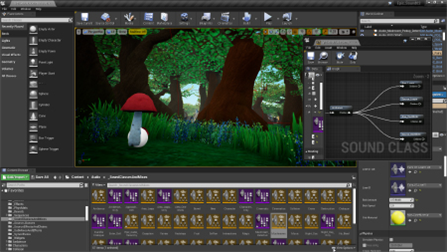
Ever played a game where the music was so loud you couldn't hear the character dialogue, or the explosions were so quiet they lacked any real punch? That's the unfortunate result of poor audio mixing. Audio mixing is more than just turning knobs; it's about creating a cohesive and immersive soundscape that elevates the entire gaming experience.
Imagine pouring your heart and soul into crafting a game, meticulously designing every level and character, only to have the audio fall flat. Players might struggle to follow the narrative, miss crucial sound cues, or simply become overwhelmed by a chaotic jumble of sounds. It can be frustrating to realize that a great game is let down by unbalanced audio elements that detract from, rather than enhance, the gameplay.
This article explores the art of audio mixing for games, focusing on balancing the different audio elements to create a truly immersive and engaging experience. We'll delve into the core principles, explore practical techniques, and uncover some industry secrets to help you master the art of game audio balancing.
Throughout this guide, we'll explore the core components of audio mixing for games, including setting levels, using EQ and compression, understanding spatial audio, and employing dynamic mixing techniques. We will also cover the myths and history of audio mixing. By understanding these principles and applying them effectively, you can ensure your game's audio is as captivating and polished as the visuals, narrative, and gameplay. Consider this as a guide to understanding game audio, audio levels, sound effects mixing, and achieving overall sonic clarity.
The Importance of Proper Leveling
Leveling, at its core, is about setting the volume of each audio element so that they all sit well together. It's the foundation upon which the entire mix is built. Without proper leveling, even the most expertly crafted sound effects and music will sound jarring and unprofessional.
I remember working on a small indie game where the programmer, bless his heart, had just dumped all the sound assets into the game engine without any regard for their relative volumes. The result was comical. The footsteps sounded like thunder, the dialogue was a whisper, and the music was so loud it drowned everything out. It was a cacophony of noise. It was a clear sign that careful leveling was needed.
Getting the levels right involves listening critically to each sound and adjusting its volume relative to the other elements. Dialogue, for instance, needs to be clear and easily understood, so it typically needs to be a bit louder than ambient sounds. Explosions, on the other hand, should be impactful but not overwhelming. Music should complement the gameplay without overshadowing important sound cues. This process often involves using a decibel meter within your game engine or Digital Audio Workstation (DAW) to ensure levels are consistent and within a reasonable range. Aim for dynamic range; the difference between the quietest and loudest sounds should be broad enough to create excitement but not so wide that quieter sounds become inaudible. Achieving good sound balance requires iterative adjustment, constantly refining the mix as the game evolves. Remember, audio mixing and mastering are crucial for delivering polished sound effects and impactful game audio.
Understanding Frequency and EQ
Equalization, or EQ, is the process of adjusting the frequency content of audio signals. Think of it as a tone control for individual sounds, allowing you to shape their sonic characteristics. It's a powerful tool for cleaning up muddiness, enhancing clarity, and creating space for different elements in the mix.
When various sound effects occupy similar frequency ranges, they can clash and create a muddy or cluttered sound. EQ allows you to carve out specific frequency bands for each sound, ensuring they all have their own sonic space. For example, you might cut some low frequencies from a dialogue track to reduce rumble and emphasize the clarity of the voice. Conversely, you could boost the low frequencies of an explosion to add more weight and impact.
EQ is not just about making individual sounds sound better in isolation; it's about how they interact with each other within the mix. Think of it like sculpting a sonic landscape, carefully shaping each element to create a cohesive and balanced soundscape. By mastering EQ, you can prevent sounds from competing with each other, enhance their clarity, and create a more immersive and engaging audio experience.
The Myths and History of Game Audio Mixing
There's a common myth that game audio is an afterthought, something tacked on at the end of development. Historically, this might have been true, especially in the early days of gaming where technical limitations were severe. Consoles had limited sound chips, and memory was precious, so audio often took a back seat to visuals and gameplay.
However, times have changed. Modern game engines offer powerful audio tools, and players have come to expect high-quality sound design. Audio is no longer just a complement to the gameplay; it's an integral part of the overall experience. A well-crafted soundscape can enhance immersion, provide crucial gameplay cues, and even influence the player's emotions.
Another myth is that audio mixing is simply about making things loud. While volume is certainly important, it's only one piece of the puzzle. A great mix is about balance, clarity, and creating a sense of space and depth. It's about understanding how different audio elements interact with each other and sculpting the soundscape to create a cohesive and engaging experience. In the early days of game development, sound design often involved repurposing sound effects from libraries or creating simple synthesized tones. Now, sound designers employ sophisticated recording techniques, advanced synthesis methods, and intricate mixing processes to craft immersive audio experiences.
Unveiling the Secrets of Dynamic Mixing
Dynamic mixing is the art of adjusting the volume of different audio elements in real-time based on what's happening in the game. It's about creating a dynamic and responsive soundscape that reacts to the player's actions and the unfolding events in the game world.
One of the key secrets of dynamic mixing is using automation. Automation allows you to record changes to volume, pan, and other parameters over time. This allows you to create subtle variations in the mix that respond to the gameplay. For example, you might automate the volume of the music to dip slightly during intense action sequences, or you might pan the sound of a character's footsteps to match their movement on screen.
Another important secret is using sidechain compression. Sidechain compression allows you to trigger compression on one audio track based on the signal from another track. This can be used to create a pumping effect, where the volume of one sound ducks down slightly when another sound plays. For example, you might use sidechain compression to duck the music slightly when a character is speaking, ensuring that the dialogue is always clear and audible. Dynamic mixing also involves understanding the different states of your game – combat, exploration, cutscenes – and tailoring the audio mix to suit each situation. Effective implementation requires a deep understanding of the game's mechanics and a willingness to experiment with different techniques. By using dynamic mixing, you can create a more immersive and engaging audio experience that responds to the player's actions in real-time.
Audio Mixing Recommendations
My top recommendation for audio mixing is to always prioritize the player experience. How does the sound affect the way someone plays the game? Does it enhance their immersion, or does it distract them? It's a question to constantly ask yourself.
Invest in quality headphones or studio monitors. You can't make good mixing decisions if you can't hear the sounds accurately. A good pair of headphones or studio monitors will provide a neutral and detailed sound reproduction, allowing you to hear the nuances of the mix and make informed decisions. Many budget-friendly options can provide a significant upgrade over standard consumer headphones.
Experiment with different techniques and find what works best for you. There's no one-size-fits-all approach to audio mixing. Try different EQ settings, compression ratios, and spatialization techniques to find the sounds that create the most impactful soundscape for your game. Don't be afraid to break the rules and try something new.
Consider using middleware like FMOD or Wwise. These tools offer advanced features for dynamic mixing, spatial audio, and interactive sound design. They can streamline the audio implementation process and allow you to create more sophisticated and immersive soundscapes. Finally, seek feedback from other developers and playtesters. Fresh ears can often identify problems with the mix that you might have missed. Constructive criticism can be invaluable for improving the quality of your game audio.
Practical Mixing Techniques for Games
One of the most essential techniques is sidechain compression. This technique involves using the audio signal from one track to control the compression on another. It's often used to create space for dialogue or important sound effects in a mix. Imagine a situation where you have music playing in the background while a character is speaking. By sidechaining the music to the dialogue track, the music volume will automatically duck slightly whenever the character speaks, ensuring that the dialogue is always clear and audible. This prevents the dialogue from being drowned out by the music and helps maintain a clear and balanced mix.
Another important technique is spatial audio, which involves positioning sounds in a 3D space to create a more immersive experience. This can be achieved using panning, reverb, and other spatial effects. For example, you might pan the sound of a character's footsteps to match their movement on screen, or you might add reverb to a sound effect to make it sound like it's coming from a specific location in the game world. By using spatial audio effectively, you can create a more believable and engaging soundscape.
Lastly, don't underestimate the power of automation. Automation allows you to record changes to volume, pan, and other parameters over time, giving you fine-grained control over the mix. This can be used to create subtle variations in the mix that respond to the gameplay or to create dramatic changes in the soundscape during key moments in the game.
Essential Audio Mixing Tips
One crucial tip is to mix in mono. It might sound counterintuitive, but mixing in mono can help you identify frequency clashes and phase issues that might not be apparent in stereo. By ensuring that your mix sounds good in mono, you can be confident that it will translate well to different listening environments and speaker configurations. Once you're happy with the mono mix, you can then add stereo widening and spatial effects to create a more immersive experience.
Another important tip is to use reference tracks. Reference tracks are professionally mixed songs or game audio tracks that you can use as a benchmark for your own mix. By comparing your mix to reference tracks, you can get a better sense of how your mix stacks up in terms of volume, frequency balance, and overall sonic quality. Choose reference tracks that are similar in style and genre to your game, and listen to them critically to identify areas where your mix could be improved. Don't be afraid to adjust the levels of your mix frequently to achieve the optimum balance in your soundscape.
Pay attention to dynamic range. Dynamic range is the difference between the quietest and loudest sounds in your mix. A mix with a wide dynamic range will have more impact and excitement, but it can also be fatiguing to listen to for extended periods. A mix with a narrow dynamic range will be more comfortable to listen to, but it might lack impact. Finding the right balance between dynamic range and loudness is crucial for creating a mix that is both engaging and enjoyable to listen to.
Common Mistakes to Avoid in Game Audio Mixing
One common mistake is over-compressing the audio. Compression is a useful tool for controlling dynamic range, but overuse can lead to a flat and lifeless mix. Too much compression can squash the dynamics of the audio, making it sound unnatural and fatiguing. Aim for subtle and transparent compression that enhances the sound without drastically altering its character. Listen carefully for signs of over-compression, such as pumping or breathing artifacts, and reduce the compression ratio or threshold if necessary.
Another mistake is neglecting the low-frequency range. The low frequencies are essential for creating a sense of power and impact, but they can also be difficult to control. Too much low end can result in a muddy and undefined mix, while too little low end can make the mix sound thin and weak. Use EQ to carefully shape the low-frequency range, cutting out unwanted rumble and boosting the frequencies that add weight and impact. A subwoofer can be useful for monitoring the low-frequency content of your mix, but be sure to check your mix on different speaker systems to ensure that it translates well.
Relying solely on visual meters rather than critical listening. While meters can provide useful information about levels and dynamic range, they shouldn't be used as a substitute for your ears. The human ear is much more sensitive to subtle nuances in sound than any meter, so always trust your ears when making mixing decisions. Close your eyes and listen carefully to the mix, focusing on the balance, clarity, and overall sonic quality. If something doesn't sound right, don't be afraid to experiment with different techniques until you achieve the desired result.
Fun Facts About Game Audio Mixing
Did you know that the sound of a lightsaber in Star Wars was created by combining the sound of a projector motor with the sound of a television set? Sound designers often use creative and unconventional techniques to create unique and memorable sound effects. Experimentation is key to discovering new and interesting sounds that can enhance your game audio.
In early video games, sound effects were often generated using simple waveforms or synthesized tones due to technical limitations. As technology advanced, sound designers were able to incorporate more complex sounds, such as recorded samples and processed audio. Today, game audio is a sophisticated art form that combines technical expertise with creative vision.
The concept of spatial audio, which creates a sense of immersion by placing sounds in a 3D space, has been around for decades but has only recently become more widely adopted in video games. Advanced spatial audio technologies, such as Dolby Atmos and DTS:X, allow sound designers to create incredibly realistic and immersive soundscapes that enhance the player's experience.
Many famous video game composers, like Koji Kondo, who created the soundtracks for the Mario and Zelda series, started with very limited technology and used their creativity to produce memorable and timeless music. These early composers often had to work within strict constraints, but their innovative approach laid the foundation for modern game audio.
How to Start Audio Mixing for Games
Start by understanding the basic principles of audio mixing, such as leveling, EQ, compression, and spatial audio. There are countless online resources, tutorials, and courses that can help you learn these fundamentals. Familiarize yourself with the tools and techniques that professional sound designers use.
Invest in a good pair of headphones or studio monitors. Accurate monitoring is essential for making informed mixing decisions. Choose headphones or monitors that provide a neutral and detailed sound reproduction. Consider the acoustics of your mixing environment and make adjustments as needed to minimize unwanted reflections and resonances.
Experiment with different mixing techniques and find what works best for you. There's no one-size-fits-all approach to audio mixing, so don't be afraid to try new things and develop your own unique style. Listen critically to your mix and make adjustments as needed to achieve the desired result. Don't be afraid to break the rules and try something new, but always prioritize the clarity and balance of the mix.
Practice regularly and seek feedback from other developers and playtesters. The more you practice, the better you'll become at audio mixing. Ask for constructive criticism from others to identify areas where your mix can be improved. Game development is a collaborative process, so be open to feedback and willing to make changes based on suggestions from others.
What if Game Audio Mixing is Ignored
If game audio mixing is ignored, the game's overall quality and player experience will suffer significantly. Poor audio can detract from the immersion, create confusion, and even lead to frustration. Imagine playing a horror game where the sound effects are poorly balanced or the music is too loud. The tension and suspense would be lost, and the game would become less effective.
Players might struggle to understand the narrative, miss crucial sound cues, or simply become overwhelmed by a chaotic jumble of sounds. If the dialogue is too quiet or the sound effects are too loud, players may miss important plot points or gameplay instructions. This can lead to frustration and a negative impression of the game.
The game may come across as unprofessional or amateurish. Poor audio mixing can make a game feel unfinished or unpolished. Players might perceive the game as lacking attention to detail, which can damage its reputation and sales.
Ignoring audio mixing can also have a negative impact on the game's marketing and promotion. A poorly mixed game audio can be a major turn-off for potential buyers, even if the game has other strengths. Reviewers and influencers are likely to point out the flaws in the audio, which can further damage the game's reputation. Audio is a crucial element of game design. Make sure it's mixed appropriately to create an immersive and engaging experience.
Listicle of Audio Mixing Key Points
Prioritize Leveling: Ensure that each audio element has a clear and appropriate volume level to prevent clashing and maintain clarity.
Utilize EQ Effectively: Use equalization to shape the frequency content of individual sounds, creating space for each element in the mix and preventing muddiness.
Employ Compression Wisely: Use compression to control dynamic range and add punch to sounds, but avoid over-compression, which can lead to a flat and lifeless mix.
Master Spatial Audio: Use panning, reverb, and other spatial effects to create a sense of depth and immersion, placing sounds in a 3D space.
Practice Dynamic Mixing: Adjust the volume of different audio elements in real-time based on what's happening in the game, using automation and sidechain compression.
Mix in Mono: Mix in mono to identify frequency clashes and phase issues, ensuring that your mix translates well to different listening environments.
Use Reference Tracks: Compare your mix to professionally mixed songs or game audio tracks to identify areas where your mix can be improved.
Pay Attention to Dynamic Range: Find the right balance between dynamic range and loudness to create a mix that is both engaging and enjoyable to listen to.
Avoid Over-Compression: Be careful not to over-compress the audio, which can lead to a flat and lifeless mix.
Don't Neglect Low Frequencies: Pay attention to the low-frequency range to create a sense of power and impact, but be careful not to make the mix muddy.
Listen Critically: Rely on your ears rather than solely on visual meters when making mixing decisions.
Experiment and Practice: Try different mixing techniques and practice regularly to improve your skills.
Seek Feedback: Ask for constructive criticism from other developers and playtesters to identify areas where your mix can be improved.
Question and Answer
Q: Why is audio mixing so important for games?
A: Audio mixing is crucial because it shapes the player's overall experience. It ensures sound effects, music, and dialogue blend harmoniously, creating immersion and preventing distractions. Proper mixing helps players understand the game's narrative and feel more connected to the virtual world.
Q: What are the key components of audio mixing in games?
A: Key components include leveling (setting appropriate volumes), EQ (adjusting frequencies for clarity), compression (managing dynamic range), and spatial audio (creating a 3D soundscape). These elements work together to provide a balanced and engaging audio experience.
Q: What is dynamic mixing, and how does it enhance game audio?
A: Dynamic mixing involves adjusting audio elements in real-time based on gameplay events. Techniques like automation and sidechain compression allow for dynamic volume changes, ensuring important sounds are always audible. This results in a more responsive and immersive soundscape.
Q: How can I improve my game audio mixing skills?
A: Practice regularly, listen critically, and experiment with different techniques. Invest in good headphones or studio monitors for accurate sound reproduction. Seek feedback from other developers and playtesters to identify areas for improvement. Use reference tracks and consider middleware like FMOD or Wwise to streamline the process.
Conclusion of Audio Mixing for Games: Balancing Game Audio Elements
Mastering audio mixing for games is essential for creating truly immersive and engaging experiences. By understanding the core principles of leveling, EQ, compression, and spatial audio, you can craft a sonic landscape that complements the visuals, narrative, and gameplay. Remember to prioritize the player experience, experiment with different techniques, and seek feedback from others. Ultimately, a well-mixed game audio can elevate your game from good to exceptional.
Post a Comment