Game Art Pipeline: Production Workflow for Game Assets
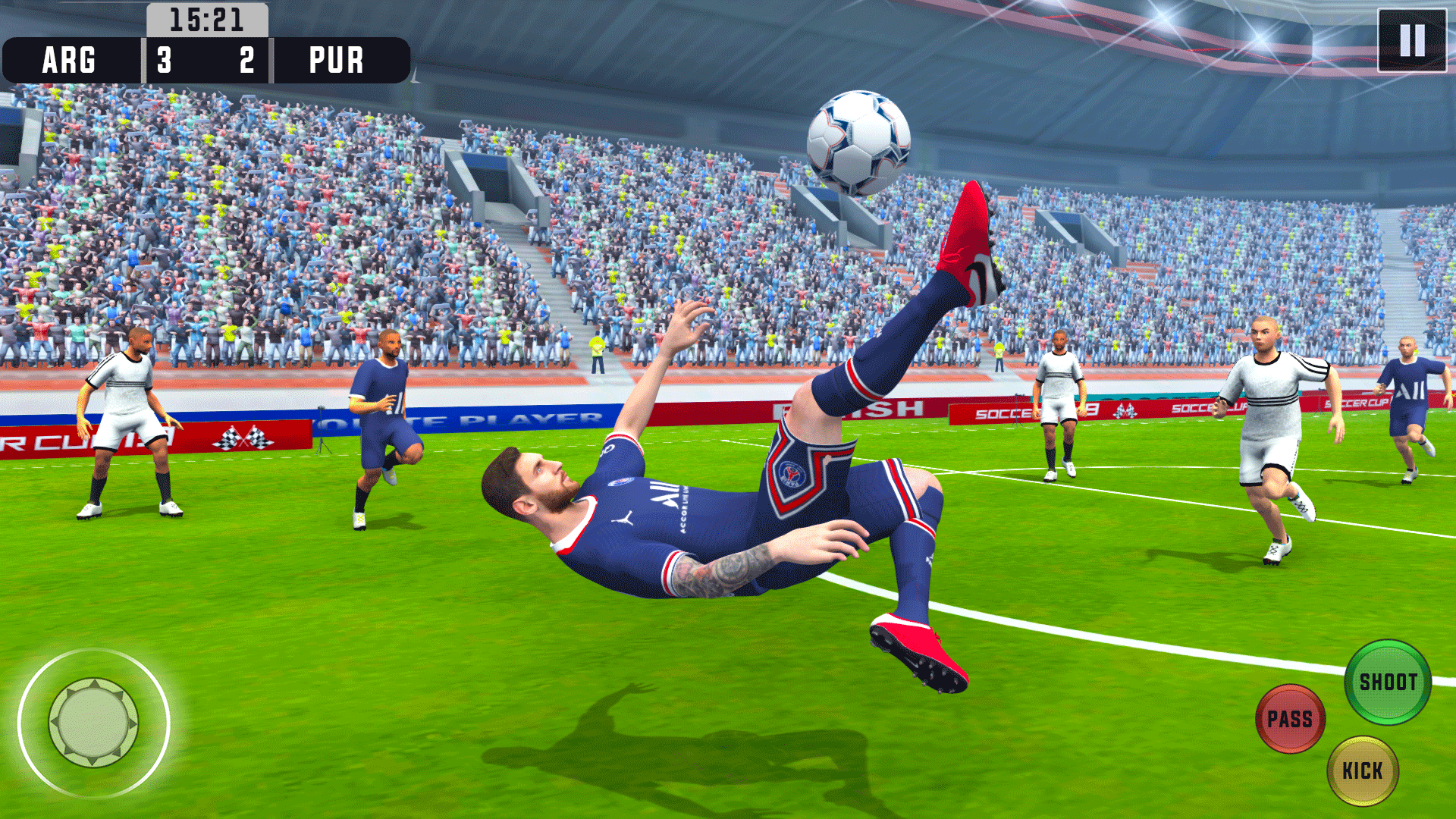
Imagine crafting intricate 3D models, breathing life into characters, and designing stunning environments, only to find your assets aren't playing nice together in the game engine. It’s a frustrating scenario that many game artists face, but it doesn't have to be your reality.
The journey of creating game art is often fraught with challenges. Assets might not integrate seamlessly, leading to visual inconsistencies and performance issues. Keeping track of versions, managing feedback, and ensuring everyone is on the same page can feel like herding cats. When these issues arise, the creative flow can be disrupted, and the final product might not live up to its full potential.
This article aims to shed light on how to streamline your game art creation process. We’ll explore the key stages of a typical game art pipeline, from initial concept to final implementation, offering practical advice on how to create efficient workflows that ensure your assets are not only beautiful but also game-ready.
We will guide you through each stage of the game art pipeline, from pre-production to asset creation, texturing, rigging, animation, and finally, integration into the game engine. By implementing best practices and utilizing the right tools, you can minimize bottlenecks, improve collaboration, and ultimately, produce high-quality game art with greater efficiency. Get ready to level up your game art workflow!
Understanding Pre-Production for Game Art Assets
I remember working on a small indie game project early in my career. We jumped straight into modeling without a clear art direction or a comprehensive asset list. It was a disaster. We ended up with beautiful, individually crafted assets that didn’t quite fit together, creating a disjointed visual experience. This experience taught me the invaluable lesson of pre-production.
Pre-production is the planning phase and the foundation upon which your entire art pipeline rests. During this stage, you define the game's visual style, create concept art, develop an asset list, and establish technical specifications. A well-defined visual style guide ensures consistency across all assets. Concept art provides a clear reference point for artists, helping them understand the desired look and feel. A detailed asset list helps to organize the creation process and prevent unnecessary work. Technical specifications, such as polygon counts, texture resolutions, and file formats, ensure assets are optimized for the target platform.
This initial phase is crucial for setting expectations, aligning the team, and minimizing costly revisions later in the development process. Skipping this phase can lead to wasted time, mismatched assets, and a generally disjointed final product. Think of it as creating a detailed blueprint before starting construction; it's an investment that pays off tenfold in the long run. By thoroughly planning out your assets, you can streamline the entire production process and ensure that your game's visuals are cohesive and captivating.
Asset Creation: From Blockout to Final Polish
Asset creation is the heart of the game art pipeline. It encompasses the process of building 3D models, sculpting detailed surfaces, and preparing them for texturing and animation. It starts with a blockout stage, where simple shapes are used to define the overall form and proportions of the asset. This allows artists to quickly iterate on the design and ensure it fits well within the game environment. Once the blockout is approved, artists move on to high-resolution sculpting, adding intricate details and refining the asset's form.
Following sculpting, the high-resolution model is often retopologized to create a lower-polygon version that is more suitable for real-time rendering. This process involves creating a new mesh that closely follows the shape of the high-resolution model but with significantly fewer polygons. This optimized model is then UV unwrapped, which prepares it for texturing by creating a 2D layout of the model's surfaces.
Finally, the model is baked, transferring the details from the high-resolution sculpt onto the low-resolution model using normal maps and other texture maps. This technique allows for visually complex assets without sacrificing performance. Throughout the asset creation process, it's crucial to maintain consistent naming conventions, file structures, and version control to ensure smooth collaboration and efficient workflow.
The History and Myth of Game Art Pipelines
The concept of a game art pipeline wasn't always as structured as it is today. In the early days of game development, art creation was often a more ad-hoc process, with artists working individually and integrating assets as they were completed. This often led to inconsistencies in visual style, technical issues, and integration headaches.
The rise of 3D graphics and increasingly complex game worlds necessitated a more organized approach. Game studios began to adopt pipeline methodologies borrowed from other industries, such as film and animation. These pipelines provided a framework for managing the entire asset creation process, from initial concept to final implementation.
Myths surrounding game art pipelines often paint them as rigid and inflexible, stifling creativity. However, a well-designed pipeline should be adaptable and allow for artistic expression within established guidelines. The goal is not to restrict creativity, but to channel it in a way that ensures consistency, efficiency, and seamless integration with the rest of the game. By embracing a structured pipeline, artists can focus on their craft without being bogged down by technical challenges and integration issues. The myth of the pipeline as a creativity killer is dispelled by the reality that it can actually empower artists by providing them with the tools and processes they need to bring their visions to life.
Unveiling the Secrets of Efficient Game Art Pipelines
The hidden secret to a truly efficient game art pipeline lies not just in the tools you use, but in how you use them and how well your team communicates. It's about fostering a culture of collaboration, feedback, and continuous improvement. One key aspect is establishing clear communication channels and feedback loops. Regular reviews, critiques, and brainstorming sessions can help identify potential issues early on and ensure everyone is aligned on the project's vision.
Another secret is to embrace automation wherever possible. Scripting tools and automating repetitive tasks can free up artists to focus on more creative aspects of their work. For example, automated batch processing of textures, rigging scripts, or custom tools for optimizing models can significantly speed up the production process.
Furthermore, it's crucial to constantly evaluate and refine your pipeline based on the specific needs of your project. A pipeline that works well for one game might not be ideal for another. Regularly gathering feedback from artists and identifying bottlenecks can help you optimize your workflow and improve overall efficiency. The true secret is that a great game art pipeline is never truly "finished" – it's a living, breathing system that evolves and adapts to the ever-changing demands of game development.
Recommendations for a Robust Game Art Pipeline
If I were to recommend one thing to any game art team, it would be to invest in a robust version control system. Tools like Git or Perforce are invaluable for tracking changes, managing versions, and collaborating effectively. They prevent conflicts, ensure everyone is working on the latest version of an asset, and provide a safety net for reverting to previous states if something goes wrong.
Another recommendation is to standardize your naming conventions and file structures. A consistent and logical organization system makes it much easier to find assets, understand their purpose, and avoid confusion. This might seem like a small detail, but it can save countless hours of searching and troubleshooting in the long run.
Finally, I highly recommend implementing a comprehensive asset tracking system. This can be as simple as a spreadsheet or as complex as a dedicated asset management tool. The key is to have a central repository of information about each asset, including its status, dependencies, and assigned artist. This helps to maintain oversight of the entire production process and prevent assets from falling through the cracks. These recommendations aren't just about improving efficiency; they're about fostering a more organized, collaborative, and ultimately more enjoyable work environment for your game art team.
Texturing and Materials: Adding Visual Depth
Texturing and materials are what truly bring 3D models to life, adding visual depth, realism, and personality. The texturing process involves applying 2D images to the surface of a 3D model, defining its color, surface properties, and overall appearance. Materials, on the other hand, define how light interacts with the surface, controlling its reflectivity, roughness, and other visual characteristics.
There are several different approaches to texturing, including traditional hand-painted textures, procedural textures generated using mathematical algorithms, and physically based rendering (PBR) workflows that simulate real-world lighting conditions. PBR has become the industry standard, offering more realistic and consistent results across different lighting environments.
Creating compelling textures and materials requires a deep understanding of art principles, such as color theory, composition, and lighting. It also involves mastering specialized software, such as Substance Painter and Substance Designer, which provide powerful tools for creating and manipulating textures. The goal is to create textures that not only look visually appealing but also convey the material properties of the asset, whether it's the rough surface of stone, the smooth sheen of metal, or the soft texture of fabric.
Tips for Optimizing Your Game Art Workflow
One of the most valuable tips I can offer is to learn to prioritize optimization early in the process. Don't wait until the end of the project to address performance issues; think about optimization from the very beginning. This means carefully managing polygon counts, texture resolutions, and the number of materials used per asset.
Another key tip is to leverage reusable assets and modular design. Creating a library of common components and textures can significantly speed up the creation process and ensure consistency across your game world. Modular design allows you to combine pre-made pieces to create a variety of different environments and structures, reducing the need to create everything from scratch.
Furthermore, don't be afraid to experiment with different tools and techniques. The game art industry is constantly evolving, and there are always new technologies and workflows to explore. By staying up-to-date with the latest trends and embracing innovation, you can continuously improve your skills and optimize your workflow.
Rigging and Animation: Bringing Characters to Life
Rigging and animation are the processes of adding bones and controls to a 3D model and then using those controls to create movement and bring the character to life. Rigging involves creating a skeletal structure inside the model and then binding the model's skin to the bones. This allows animators to manipulate the model in a realistic and controllable way.
Animation involves creating a series of keyframes that define the character's poses and movements. The animation software then interpolates between these keyframes to create smooth and fluid motion. There are several different animation techniques, including traditional keyframe animation, motion capture, and procedural animation.
Creating compelling character animation requires a deep understanding of anatomy, physics, and acting principles. Animators must be able to convey emotion, personality, and intent through the character's movements. This involves paying attention to subtle details, such as facial expressions, body language, and timing. The goal is to create animation that is not only technically accurate but also engaging and believable.
Fun Facts About Game Art Pipelines
Did you know that the first video game characters were created using pixel art, painstakingly drawn one pixel at a time? Imagine the patience and dedication it took to create even a simple sprite! Early game art pipelines were incredibly limited by the technology of the time, forcing artists to be incredibly creative with their constraints.
Another fun fact is that many iconic game characters were inspired by real-life people or animals. For example, the character of Donkey Kong was reportedly inspired by a King Kong movie, while the character of Sonic the Hedgehog was influenced by a variety of sources, including Mickey Mouse and Felix the Cat.
Furthermore, the game art pipeline has been heavily influenced by advancements in other industries, such as film and animation. Techniques like motion capture and physically based rendering (PBR) were initially developed for these industries and then adapted for use in game development. The game art pipeline is a dynamic and ever-evolving field, constantly adapting to new technologies and pushing the boundaries of what's possible.
How to Establish a Successful Game Art Pipeline
Establishing a successful game art pipeline starts with a clear understanding of your project's goals, scope, and technical requirements. Before diving into asset creation, take the time to define your visual style, create concept art, and develop a detailed asset list. This will provide a solid foundation for the entire production process.
Next, choose the right tools and software for your team. There are many different options available, so it's important to select tools that are well-suited to your team's skills and the specific needs of your project. Consider factors such as ease of use, compatibility with other software, and the availability of support and training resources.
Then, standardize your workflow and establish clear guidelines for asset creation. This includes defining naming conventions, file structures, and technical specifications. A well-defined workflow ensures consistency and prevents confusion, making it easier for artists to collaborate and integrate their assets into the game engine. By implementing these strategies, you can create a game art pipeline that is efficient, effective, and tailored to your project's unique requirements.
What If You Neglect Your Game Art Pipeline?
If you neglect your game art pipeline, you're essentially setting yourself up for a world of pain. Without a clear plan and organized process, you'll likely encounter a host of problems that can derail your project and drain your resources. Inconsistencies in visual style can arise, leading to a disjointed and unprofessional look. Technical issues, such as incompatible file formats, incorrect polygon counts, or improperly optimized textures, can cause performance problems and integration headaches.
Collaboration can become a nightmare as artists struggle to share assets, track changes, and coordinate their work. Delays are inevitable as you spend more time troubleshooting problems and reworking assets. The end result is often a game that looks and performs poorly, frustrating players and damaging your studio's reputation.
The consequences of neglecting your game art pipeline can be severe, impacting not only the quality of your game but also the morale of your team and the success of your project. That's why it's essential to invest the time and effort needed to establish a well-defined and efficient pipeline from the very beginning. It's an investment that will pay off handsomely in the long run.
5 Essential Elements of a Game Art Pipeline
Here's a listicle of five essential elements that should be incorporated in every game art pipeline:
1.Well-Defined Pre-Production: Before any asset creation begins, you need a clear vision for your game's art style, technical requirements, and asset list. A well-defined pre-production phase ensures everyone is on the same page and minimizes costly rework later on.
2.Version Control: Implementing a robust version control system, such as Git or Perforce, is crucial for tracking changes, managing versions, and preventing conflicts. It allows artists to collaborate effectively and revert to previous states if needed.
3.Standardized Naming Conventions and File Structures: A consistent and logical organization system makes it easier to find assets, understand their purpose, and avoid confusion. This saves time and reduces the risk of errors.
4.Centralized Asset Management: An asset tracking system, whether it's a simple spreadsheet or a dedicated asset management tool, provides a central repository of information about each asset. This helps to maintain oversight of the production process and prevent assets from falling through the cracks.
5.Regular Reviews and Feedback Loops: Establishing clear communication channels and feedback loops is essential for identifying potential issues early on and ensuring everyone is aligned on the project's vision. Regular reviews and critiques can help improve the quality of your assets and streamline the production process. Incorporating these five elements into your game art pipeline will significantly improve your efficiency, collaboration, and the overall quality of your game.
Question and Answer about Game Art Pipeline
Q: What is the most important stage in the game art pipeline?
A: While every stage is crucial, pre-production is arguably the most important. A well-defined pre-production phase sets the foundation for the entire project, ensuring everyone is aligned on the visual style, technical requirements, and asset list.
Q: How can I improve collaboration within my game art team?
A: Implement a robust version control system, standardize naming conventions and file structures, and establish clear communication channels and feedback loops. Regular reviews, critiques, and brainstorming sessions can also help improve collaboration.
Q: What are some common bottlenecks in the game art pipeline?
A: Common bottlenecks include inefficient workflows, lack of communication, technical issues, and inadequate asset management. Identifying and addressing these bottlenecks can significantly improve your overall efficiency.
Q: How can I optimize my game art assets for performance?
A: Carefully manage polygon counts, texture resolutions, and the number of materials used per asset. Use LOD (Level of Detail) techniques to reduce the complexity of assets as they get further away from the camera. Optimize your models and textures for the target platform.
Conclusion of Game Art Pipeline: Production Workflow for Game Assets
In conclusion, mastering the game art pipeline is an essential skill for any game developer. By understanding the key stages, implementing best practices, and utilizing the right tools, you can streamline your workflow, improve collaboration, and ultimately, create high-quality game art with greater efficiency. Remember to focus on pre-production, asset creation, texturing, rigging, animation, and integration into the game engine. Don't be afraid to experiment, adapt, and continuously refine your pipeline to meet the unique needs of your projects. With a well-defined and efficient game art pipeline, you can bring your creative visions to life and create truly stunning and immersive gaming experiences.
Post a Comment