Continuous Integration for Games: Automated Build Systems
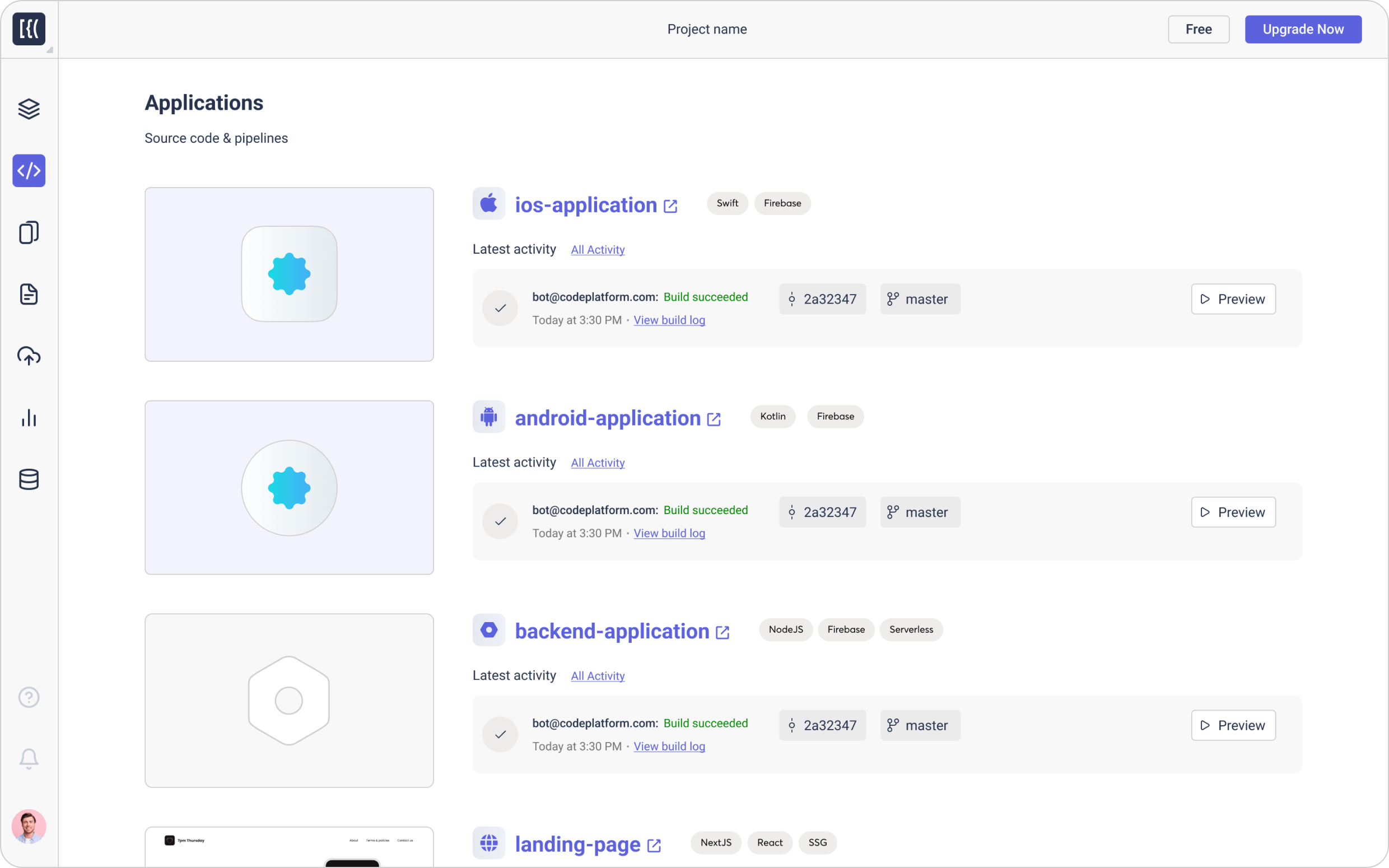
Imagine a world where your game builds itself, tests itself, and delivers itself without you lifting a finger. Sounds like a dream, right? Well, it doesn't have to be. Welcome to the world of Continuous Integration for Games.
Creating games is tough. You've got artists, designers, programmers, all working on different parts, constantly changing things. Keeping track of everything, making sure it all works together, and then actually building the darn thing can feel like herding cats. Bugs creep in, builds break at the worst times, and suddenly, you're spending more time fixing problems than actually making the game.
The goal of continuous integration for games is to automate the build, test, and deployment process. It's about making sure that every change to the game's code or assets is automatically integrated, tested, and built, so you can catch problems early and often. It frees you and your team to focus on what matters: creating an amazing game.
This article explores the world of continuous integration for games, covering everything from its core principles to practical tips and tricks. We'll discuss the benefits of automated build systems, explore real-world examples, and debunk some common myths. Get ready to learn how CI can revolutionize your game development workflow, streamline your process, and ultimately, help you ship a better game, faster. Key terms we'll cover are automated build systems, CI/CD pipelines, game development workflows, and testing frameworks.
My First Foray into Automated Builds
I remember the first time I truly appreciated the power of continuous integration. I was working on a small indie game, and our build process was… well, let's just say it involved a lot of manual steps and crossed fingers. Every time we needed a new build for testing, someone had to manually gather all the assets, compile the code, and package it all up. It was time-consuming and error-prone, and builds often broke mysteriously, usually late on a Friday afternoon. One particularly memorable Friday, I spent nearly six hours wrestling with a build issue caused by a misplaced texture file. It was demoralizing, to say the least.
That's when we decided to investigate automated build systems. The initial setup was a bit daunting, but the payoff was incredible. Suddenly, new builds were automatically generated every time someone committed code. Tests ran automatically, flagging potential issues before they even made it into a build. We went from spending hours on build maintenance to focusing on actual development. It was a game-changer (pun intended!). This experience taught me the invaluable lesson that investing in automation, especially for critical tasks like building and testing, is crucial for any game development team looking to improve their efficiency and reduce stress. Continuous integration allows for faster iteration, earlier bug detection, and ultimately, a more polished and stable game.
What Exactly is Continuous Integration?
Continuous Integration (CI) is a development practice where code changes are frequently integrated into a shared repository. This integration is then verified by an automated build and automated tests. In essence, CI is about making sure that every change to your game's codebase is quickly and reliably integrated with the rest of the project, and that any potential problems are caught early on.
For games, this means automating the process of compiling code, packaging assets, and running tests every time a developer commits changes to the source control system. The key is automation. A CI system monitors the repository for changes and triggers the build process automatically. This can involve compiling code, baking textures, building lighting, running unit tests, integration tests, and even performance tests. The CI system then reports the results, letting developers know if the build was successful or if any issues were detected. A well-implemented CI system also makes it easy to create builds for different platforms (Windows, Mac, i OS, Android, etc.) and configurations (debug, release, etc.). This ensures that the game is always in a buildable and testable state, reducing the risk of integration issues and allowing for faster iteration cycles. CI is more than just a tool; it's a philosophy that promotes collaboration, communication, and a focus on quality throughout the development process.
The History and Myths of CI in Games
The concept of Continuous Integration isn't new. It emerged from Extreme Programming (XP) methodologies in the late 1990s. However, its adoption in the game development world has been slower compared to other software industries. This is partly due to the unique challenges of game development, such as dealing with large binary assets, complex build pipelines, and platform-specific requirements.
One common myth is that CI is only for large studios with complex projects. This isn't true! Even small indie teams can benefit from CI by automating their build and test processes, reducing manual effort, and improving the quality of their game. Another myth is that setting up CI is too difficult and time-consuming. While it does require some initial investment, the long-term benefits far outweigh the upfront costs. Tools and services like Jenkins, Team City, and cloud-based CI platforms have made it easier than ever to set up and manage CI pipelines. Furthermore, there's a perception that CI is only for code. However, modern CI systems can also handle asset processing, content validation, and even deployment to test environments. The reality is that CI can be adapted to fit the specific needs of any game development project, regardless of size or complexity. Embracing CI is about adopting a mindset of continuous improvement and automation, which can significantly improve your team's efficiency and the overall quality of your game.
The Hidden Secret of Efficient Game Development
The real power of Continuous Integration isn't just about automating builds and tests; it's about creating a feedback loop that allows developers to catch problems early and often. This rapid feedback loop is the hidden secret to efficient game development. When developers receive immediate feedback on their code changes, they can quickly identify and fix issues before they become more complex and costly to resolve.
Think of it like this: imagine you're building a house, and you only inspect the foundation after the entire house is built. If there's a problem with the foundation, you'll have to tear down a significant portion of the house to fix it. However, if you inspect the foundation after each stage of construction, you can catch problems early on and fix them much more easily. CI provides this same level of early detection for game development. By running automated tests every time code is committed, you can catch bugs, performance issues, and integration problems before they make it into the main game build. This allows developers to address these issues while the code is still fresh in their minds, reducing the time and effort required to fix them. Furthermore, a well-configured CI system can provide valuable insights into the overall health of the project, identifying areas where the code is fragile or prone to errors. This allows developers to focus their attention on these areas, improving the overall stability and maintainability of the game. In essence, CI is a proactive approach to quality assurance, allowing developers to build better games with less effort.
Recommendations for Implementing CI in Your Game Studio
Implementing Continuous Integration effectively requires careful planning and a commitment from the entire team. Here are some recommendations to help you get started:
First, start small. Don't try to automate everything at once. Begin by automating the core build process and running a few basic unit tests. As you gain experience, you can gradually add more automation and complexity to your CI pipeline. Second, choose the right tools. There are many CI platforms available, each with its own strengths and weaknesses. Research your options and choose a platform that fits your team's needs and budget. Third, integrate CI into your workflow. Make sure that all developers understand the importance of CI and that they are committed to following the established processes. Fourth, monitor your CI pipeline. Regularly review the results of your automated builds and tests to identify potential problems and areas for improvement. Fifth, embrace automation. The more you can automate, the more time you'll save and the fewer errors you'll make. Automate everything from building and testing to deployment and release management. Sixth, use configuration management tools. Tools like Chef, Puppet, or Ansible can help you automate the process of configuring and managing your build servers. Seventh, don't be afraid to experiment. CI is an iterative process. Try new things, learn from your mistakes, and continuously improve your CI pipeline. By following these recommendations, you can successfully implement CI in your game studio and reap the many benefits it has to offer, including faster iteration cycles, improved code quality, and reduced development costs.
Choosing the Right CI/CD Tools
Selecting the appropriate tools is paramount when setting up your CI/CD pipeline. Consider the needs of your game development team, project complexity, and budget. Popular options include Jenkins, a highly customizable open-source solution; Team City, known for its user-friendly interface; and cloud-based platforms like Circle CI, Travis CI, and Git Hub Actions, which offer scalability and ease of setup.
Jenkins is a classic choice, providing extensive plugin support and flexibility to tailor the system to your specific requirements. However, it requires more hands-on configuration and maintenance. Team City, developed by Jet Brains, offers a more intuitive user experience and integrates seamlessly with other Jet Brains products like Intelli J IDEA. Cloud-based options like Circle CI and Travis CI are ideal for teams that prefer a fully managed solution, reducing the overhead of server maintenance. Git Hub Actions, integrated directly into Git Hub repositories, provides a convenient and cost-effective way to automate your workflows. Beyond the core CI/CD platform, consider integrating tools for static code analysis, such as Sonar Qube or Coverity, to automatically detect code quality issues. Unit testing frameworks like NUnit (for C#) or Google Test (for C++) are essential for verifying the correctness of your code. For performance testing, tools like Unity's Profiler or custom scripting can help identify bottlenecks and optimize your game's performance. Remember that the best tools are those that seamlessly integrate into your existing workflow and empower your team to deliver high-quality games efficiently. Before committing to a specific set of tools, consider trying out free trials or open-source options to ensure they meet your specific needs and technical capabilities.
Tips and Tricks for Successful CI Implementation
Implementing CI is not just about installing a tool; it's about changing your development workflow and culture. Here are some tips and tricks to help you succeed:
First, break down your builds into smaller, more manageable tasks. This makes it easier to identify and isolate problems. Second, use caching to speed up your builds. Caching dependencies and intermediate build artifacts can significantly reduce build times. Third, parallelize your builds. Run multiple tests and tasks concurrently to take advantage of multi-core processors. Fourth, use Docker containers to create consistent and reproducible build environments. This eliminates the "it works on my machine" problem. Fifth, implement automated code reviews. Use tools like Gerrit or Crucible to automate the code review process and ensure that all code changes are reviewed before they are integrated into the codebase. Sixth, use feature flags to control the release of new features. This allows you to test new features in production without exposing them to all users. Seventh, monitor your CI pipeline and track key metrics like build time, test coverage, and failure rate. This helps you identify areas for improvement. Eighth, document your CI pipeline. Make sure that everyone on the team understands how the CI pipeline works and how to troubleshoot common problems. By following these tips and tricks, you can create a CI pipeline that is efficient, reliable, and helps you deliver high-quality games faster.
Branching Strategies and CI
A well-defined branching strategy is essential for effective CI. Gitflow, a popular branching model, uses separate branches for features, releases, and hotfixes. In this model, CI can be configured to automatically build and test feature branches as they are created, providing developers with early feedback on their code changes. The release branch is used to prepare for a new release, and CI can be configured to run comprehensive integration tests on this branch before the release is deployed. Hotfix branches are used to quickly address critical bugs in production, and CI can be configured to automatically build and deploy these fixes. Another branching strategy is trunk-based development, where developers commit directly to the main branch. In this model, CI plays an even more critical role, as every commit triggers a build and test run to ensure that the main branch remains stable. Regardless of the branching strategy you choose, it's important to define clear guidelines for how branches should be created, merged, and deleted. This helps to maintain a clean and organized codebase and reduces the risk of integration conflicts. Furthermore, consider using pull requests or merge requests to facilitate code reviews and ensure that all code changes are reviewed before they are integrated into the main branch.
Fun Facts About CI in Game Development
Did you know that some game studios use CI to automatically generate daily builds of their game that are then played by the entire team? This helps to ensure that everyone is always playing the latest version of the game and can provide feedback on new features and changes. Some companies even use CI to automatically generate promotional screenshots and videos for their games. The system automatically plays through the game, captures screenshots and videos at key moments, and then edits them together into a promotional trailer. That’s definitely a fun way to streamline game processes.
Another interesting fact is that some game developers use CI to automatically deploy their game to multiple platforms simultaneously. This allows them to test their game on different devices and operating systems without having to manually create separate builds for each platform. Some studios have even integrated their CI pipeline with their customer support system. When a user reports a bug, the CI system automatically creates a new bug report, assigns it to the appropriate developer, and then triggers a build and test run to try to reproduce the bug. Some game studios have even created AI-powered CI systems that can automatically identify and fix bugs in their code. These systems use machine learning to analyze code changes, identify potential problems, and then automatically generate fixes that are reviewed by human developers. These facts demonstrate the innovative ways in which CI can be used to improve the game development process and ultimately create better games.
How to Set Up a Basic CI Pipeline
Setting up a basic CI pipeline involves several key steps. First, you'll need to choose a CI platform. As mentioned earlier, options include Jenkins, Team City, and cloud-based platforms like Circle CI and Travis CI. Once you've chosen a platform, you'll need to configure it to connect to your source control repository (e.g., Git). This involves providing the CI platform with access to your repository and configuring it to monitor for changes.
Next, you'll need to define the build steps. This typically involves compiling your code, packaging your assets, and running automated tests. The specific build steps will vary depending on your game engine and the programming languages you're using. For example, if you're using Unity, you'll need to use the Unity command-line interface to build your game. If you're using Unreal Engine, you'll need to use the Unreal Automation Tool (UAT) to build your game. Once you've defined the build steps, you'll need to configure the CI platform to execute these steps automatically every time code is committed to the repository. This is typically done by creating a build script or configuration file that specifies the build steps and any dependencies. Finally, you'll need to configure the CI platform to report the results of the build. This typically involves sending email notifications to developers or posting the results to a dashboard. By following these steps, you can set up a basic CI pipeline that automates the build, test, and deployment process for your game.
What If You Don't Use CI?
Imagine a world without continuous integration. Development teams spend countless hours manually building and testing their games. Integration issues arise frequently, leading to costly delays and frustrating debugging sessions. Bugs slip through the cracks and make their way into production, impacting the player experience and damaging the game's reputation.
Without CI, releasing new features and updates becomes a slow and risky process. Developers are hesitant to commit changes, fearing that they might break the build. The development cycle becomes longer and more unpredictable. The lack of automation leads to increased manual effort and human error. Teams struggle to keep up with the demands of modern game development, where rapid iteration and frequent updates are essential for success. The absence of automated testing means that bugs are often discovered late in the development cycle, when they are more difficult and expensive to fix. Furthermore, the lack of continuous feedback makes it difficult for developers to identify and address performance issues. Ultimately, not using CI can lead to lower quality games, longer development cycles, and increased development costs. In today's competitive gaming market, where players expect polished and bug-free experiences, neglecting CI is a recipe for disaster. Adopting CI is no longer a luxury; it's a necessity for any game development team that wants to thrive.
The Ultimate CI Checklist for Game Devs
Here's a quick checklist to make sure your CI/CD is game dev ready:
1. Source Control Integration: Link CI to your Git repository.
2. Automated Build Process: Script the build, bake and compile automatically.
3. Automated Testing: Run unit, integration and performance tests automatically.
4. Platform Coverage: Configure builds for target platforms (PC, consoles, mobile).
5. Asset Management: Automate asset processing and validation.
6. Version Control: Tag builds and assets with version numbers.
7. Notifications: Set up alerts for build failures and successes.
8. Dependency Management: Automate dependency resolution and caching.
9. Code Analysis: Use static analysis tools to catch code quality issues.
10. Deployment Automation: Deploy builds to test and production environments automatically.
11. Rollback Mechanism: Implement a way to revert to previous builds in case of issues.
12. Security: Secure your CI/CD pipeline to prevent unauthorized access.
13. Performance Monitoring: Track build times and identify bottlenecks.
14. Documentation: Document your CI/CD pipeline for future reference.
15. Continuous Improvement: Regularly review and improve your CI/CD pipeline.
Questions and Answers
Here are some common questions about Continuous Integration in game development:
Question 1: Is CI only for large teams?
Answer: No! Even small indie teams can benefit from CI by automating their build and test processes.
Question 2: What if my game has a lot of binary assets?
Answer: CI systems can handle large binary assets. You may need to use specialized storage solutions or optimize your asset processing pipeline.
Question 3: How much does it cost to implement CI?
Answer: The cost varies depending on the tools and services you choose. Open-source options like Jenkins are free, while cloud-based platforms may have subscription fees.
Question 4: What are some common mistakes to avoid?
Answer: Common mistakes include trying to automate everything at once, neglecting automated testing, and failing to monitor your CI pipeline.
Conclusion of Continuous Integration for Games
Continuous Integration is a crucial practice for modern game development. By automating the build, test, and deployment process, CI can significantly improve your team's efficiency, reduce development costs, and ultimately, help you ship a better game. Embrace the power of CI, and unlock the full potential of your game development team. From streamlined workflows to faster iteration cycles and improved code quality, the benefits of CI are undeniable. So, take the plunge, invest in setting up a robust CI pipeline, and watch your game development process transform before your very eyes. The future of game development is automated, efficient, and continuous, and CI is the key to unlocking that future.
Post a Comment