Compute Shader Tutorial: GPU Computing for Games
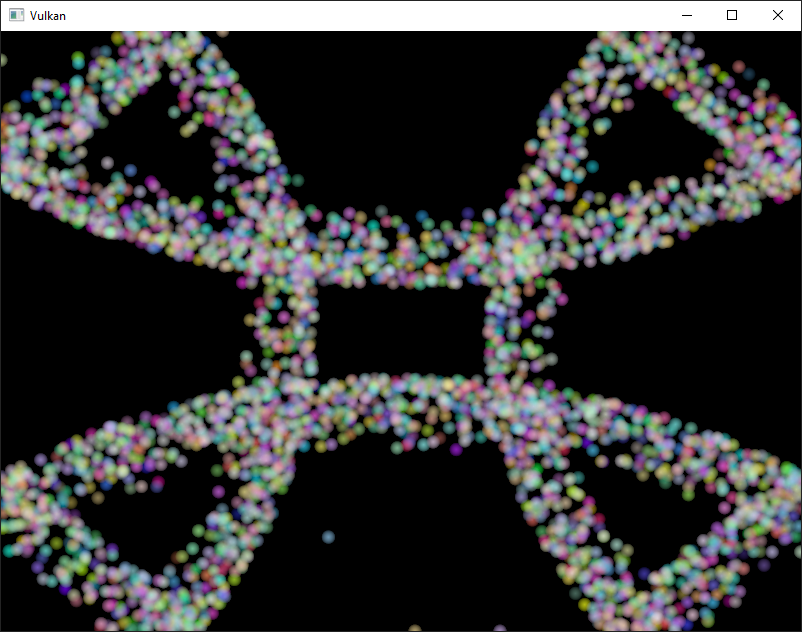
Imagine offloading complex calculations from your CPU to your GPU, freeing up valuable processing power and dramatically boosting your game's performance. Sound too good to be true? It's not! Welcome to the world of compute shaders, your secret weapon for optimized game development.
We've all been there: struggling to optimize that one feature that's eating up all our CPU cycles, or wrestling with complex calculations that bog down the whole game. Maybe you're dealing with particle systems that bring your frame rate crashing down, or complex physics simulations that just aren't running fast enough. The CPU is working overtime, and your game is suffering.
This tutorial aims to arm you with the knowledge and practical skills needed to harness the power of compute shaders for game development. We'll explore the fundamentals of compute shaders, learn how to write them, and discover how to integrate them into your game engine to accelerate computationally intensive tasks.
Get ready to dive into the parallel processing world of compute shaders and unlock the full potential of your GPU. We'll explore the core concepts, look at practical examples, and guide you through integrating compute shaders into your game development workflow. Along the way, we'll cover essential topics like data transfer, synchronization, and optimization. So, buckle up and prepare to supercharge your game's performance!
What are Compute Shaders?
My first encounter with compute shaders was during a project where I was trying to simulate a realistic fluid simulation. The CPU alone was simply unable to handle the sheer amount of calculations required to update each particle's position, velocity, and interaction with neighboring particles in real-time. The frame rate was abysmal, and the game felt sluggish and unresponsive. That's when I stumbled upon compute shaders, and it was a game-changer. Compute shaders are programs that execute on the GPU but are not part of the traditional rendering pipeline. This means you can use the GPU's massive parallel processing capabilities for general-purpose computation, things like physics simulations, AI calculations, or even image processing. They allow you to offload computationally intensive tasks from the CPU to the GPU, freeing up the CPU to handle other essential tasks, such as game logic, AI, and rendering. This leads to improved performance, smoother gameplay, and the ability to create more complex and visually stunning games. At their core, compute shaders are about leveraging the parallel processing power of the GPU for general-purpose computing. Instead of just rendering graphics, you can use the GPU to perform calculations that traditionally would have been done on the CPU.
Why Use Compute Shaders in Games?
Compute shaders offer a compelling solution to performance bottlenecks in game development. Consider the scenario where you are creating a game with a large number of objects each needing their AI updated every frame. Doing this on the CPU can quickly become a bottleneck. With compute shaders, you can offload the AI calculations for each object to the GPU, allowing them to be processed in parallel. This results in a significant speedup, especially for games with complex simulations or a large number of interactive elements. Besides, compute shaders are highly adaptable. You can use them for a wide range of tasks beyond just physics and AI. They can be used for image processing, post-processing effects, procedural content generation, and even machine learning tasks within your game. This versatility makes them a valuable tool in any game developer's arsenal. They enable you to create more complex and visually appealing games, without sacrificing performance.
The History and Myth of Compute Shaders
The history of compute shaders is intertwined with the evolution of GPUs. Initially, GPUs were solely focused on graphics rendering. However, as GPUs became more powerful and programmable, developers began to explore ways to use them for general-purpose computation. Early attempts involved "tricking" the graphics pipeline to perform calculations, which were often cumbersome and inefficient. Compute shaders emerged as a more direct and efficient way to harness the GPU's computational power, providing a dedicated pathway for general-purpose computing. Myth: Compute shaders are only for advanced developers. While compute shaders might seem daunting at first, the basic concepts are not overly complex. With a good understanding of shader programming and some practice, even beginner game developers can start using compute shaders to improve their game's performance. Myth: Compute shaders are a silver bullet for all performance problems. While compute shaders can significantly improve performance for certain tasks, they are not a magic solution for every performance issue. It's crucial to identify the areas in your game that are causing the biggest bottlenecks and then determine whether compute shaders are the right tool for the job.
Hidden Secrets of Compute Shaders
One of the hidden secrets of compute shaders lies in their ability to access shared memory. Shared memory is a small, fast memory space that is local to each workgroup within a compute shader. By using shared memory, you can significantly reduce the number of global memory accesses, which can be a major performance bottleneck. Another hidden secret is the importance of data alignment and memory layout. Proper data alignment can improve memory access performance, while optimizing the memory layout can reduce cache misses. These seemingly minor details can have a significant impact on the overall performance of your compute shaders. Also, understanding the underlying hardware architecture of the GPU can help you write more efficient compute shaders. Knowing the number of cores, the memory bandwidth, and the cache sizes can inform your design decisions and help you optimize your code for the specific hardware you're targeting. While compute shaders offer a powerful way to accelerate game development, the true power of compute shaders lies in the ability to combine them with other techniques.
Recommendation of Compute Shaders
If you're serious about game development and want to push the boundaries of what's possible, learning compute shaders is essential. They'll open up a whole new world of possibilities for optimizing your game's performance and creating stunning visuals. For those getting started, I recommend beginning with simple examples and gradually increasing the complexity. There are many online tutorials and resources available to help you learn the basics of compute shader programming. Experimenting with different data structures and algorithms is also a great way to improve your understanding and skills. In addition, actively seeking out examples of how compute shaders are used in real-world games can be invaluable. Analyzing these examples can give you insights into best practices and help you identify opportunities to apply compute shaders to your own projects. I would also suggest you to join online communities and forums where you can connect with other developers who are using compute shaders. Sharing knowledge, asking questions, and receiving feedback can accelerate your learning process and help you overcome challenges.
Compute Shaders and GPGPU
Compute shaders fall under the broader umbrella of General-Purpose computing on Graphics Processing Units (GPGPU). GPGPU refers to using GPUs for tasks beyond traditional graphics rendering. Compute shaders provide a structured and efficient way to perform GPGPU tasks, allowing developers to leverage the GPU's parallel processing power for a wide range of applications. The key difference between traditional GPU programming and GPGPU with compute shaders is the level of control you have over the execution. In traditional GPU programming, you're working within the confines of the rendering pipeline, whereas compute shaders allow you to execute arbitrary code on the GPU without being tied to the rendering process. This gives you much greater flexibility and control over how you use the GPU's resources. Think of it like this: traditional GPU programming is like using a pre-built graphics application, while GPGPU with compute shaders is like writing your own custom application to run on the GPU.
Tips for Optimizing Compute Shaders
Optimizing compute shaders is crucial for achieving maximum performance. One important tip is to minimize global memory accesses. Global memory is the slowest memory on the GPU, so reducing the number of reads and writes to global memory can significantly improve performance. Consider using shared memory to cache frequently accessed data and reduce the need for global memory accesses. Another tip is to optimize your workgroup size. The workgroup size determines the number of threads that execute together on a single GPU core. Choosing the right workgroup size can significantly impact performance. Experiment with different workgroup sizes to find the optimal setting for your specific workload. Also, use profiling tools to identify performance bottlenecks in your compute shaders. Profiling tools can help you pinpoint areas of your code that are taking the longest to execute, allowing you to focus your optimization efforts on the most critical parts of your program. Additionally, be aware of memory alignment and data layout. Properly aligned data and a well-organized data layout can improve memory access performance and reduce cache misses.
Data Transfer Between CPU and GPU
One of the biggest challenges when working with compute shaders is efficiently transferring data between the CPU and the GPU. The CPU and GPU have separate memory spaces, so data must be explicitly copied between them. This data transfer can be a significant bottleneck if not handled carefully. There are several techniques you can use to optimize data transfer. One common approach is to use asynchronous data transfer. This allows the CPU and GPU to operate concurrently, reducing the overall execution time. Another technique is to use persistent buffers. Persistent buffers are memory regions that are allocated on the GPU and remain resident throughout the execution of the program. This eliminates the need to repeatedly allocate and deallocate memory, which can be a costly operation. You can also try to minimize the amount of data that needs to be transferred between the CPU and GPU. Only transfer the data that is absolutely necessary for the compute shader to perform its calculations.
Fun Facts About Compute Shaders
Did you know that compute shaders are used in many popular games to create realistic physics simulations, stunning visual effects, and intelligent AI? They're the unsung heroes behind many of the features that make modern games so immersive and engaging. Another fun fact is that compute shaders are not limited to games. They're also used in a wide range of other applications, such as scientific simulations, data analysis, and machine learning. The versatility of compute shaders makes them a valuable tool in many different fields. Also, compute shaders have evolved significantly over the years, with each new generation of GPUs bringing new features and capabilities. As GPUs become even more powerful, compute shaders will continue to play an increasingly important role in game development and beyond. It’s impressive how they can be used to process audio, perform complex calculations, and even accelerate video editing tasks!
How to Write a Compute Shader
Writing a compute shader involves a few key steps. First, you need to define the shader's entry point, which is the function that will be executed on the GPU. This function is typically written in a shading language like HLSL or GLSL. Next, you need to define the input and output data for the shader. This data is typically stored in buffers, which are memory regions that are accessible to both the CPU and the GPU. Finally, you need to dispatch the shader, which tells the GPU to execute the shader on a set of data. The dispatch call specifies the number of workgroups that will be launched, as well as the size of each workgroup. Within the compute shader, you have access to built-in variables that provide information about the current workgroup and thread. These variables can be used to calculate the index of the data that the thread should process.
What If Compute Shaders Didn't Exist?
Imagine a world without compute shaders. Games would be less visually stunning, physics simulations would be less realistic, and AI would be less intelligent. Many of the features that we take for granted in modern games would simply not be possible. Game developers would be forced to rely solely on the CPU for all computationally intensive tasks. This would severely limit the complexity and scale of games. Performance would be a major issue, and developers would have to make difficult trade-offs between visual quality and frame rate. The absence of compute shaders would also stifle innovation. Developers would be less likely to experiment with new techniques and technologies, as the performance overhead would be too high. So, we should all be thankful for compute shaders and the incredible things they enable us to do.
Listicle of Compute Shader Benefits
Here are some key benefits of using compute shaders in game development: 1. Improved Performance: Offload computationally intensive tasks from the CPU to the GPU, freeing up CPU cycles for other tasks.
2. Increased Parallelism: Harness the massive parallel processing power of the GPU to perform calculations simultaneously.
3. Enhanced Visuals: Create more complex and visually stunning effects, such as realistic physics simulations and advanced post-processing.
4. Intelligent AI: Implement more sophisticated AI algorithms that can react more realistically to the player's actions.
5. Greater Flexibility: Use the GPU for a wide range of tasks beyond traditional rendering, such as image processing, data analysis, and machine learning.
6. Reduced Power Consumption: Offloading tasks to the GPU can sometimes reduce overall power consumption, as GPUs are often more energy-efficient for certain types of calculations.
7. Future-Proofing: As GPUs continue to become more powerful, compute shaders will become even more essential for game development. Learning compute shaders now will prepare you for the future of gaming.
8. Cross-Platform Compatibility: Compute shaders are supported on a wide range of platforms, including Windows, mac OS, Linux, and mobile devices.
9. Access to Low-Level Hardware: Compute shaders provide access to the low-level hardware capabilities of the GPU, allowing you to fine-tune your code for optimal performance.
Question and Answer of Compute Shader
Q: What are the prerequisites for learning compute shaders?
A: A good understanding of shader programming (HLSL or GLSL) and basic linear algebra is recommended. Familiarity with game development concepts is also helpful.
Q: Can I use compute shaders in any game engine?
A: Most modern game engines, such as Unity and Unreal Engine, support compute shaders. However, the specific implementation and API may vary.
Q: Are compute shaders difficult to debug?
A: Debugging compute shaders can be challenging, as they execute on the GPU. However, there are various debugging tools available, such as graphics debuggers and profilers, that can help you identify and fix issues.
Q: Are compute shaders only useful for high-end games?
A: While compute shaders are often used in high-end games to create stunning visuals and complex simulations, they can also be used in lower-end games to optimize performance and improve the overall gameplay experience.
Conclusion of Compute Shader Tutorial: GPU Computing for Games
Compute shaders are a powerful tool that every game developer should have in their arsenal. By leveraging the parallel processing power of the GPU, you can unlock new levels of performance and create more complex and visually stunning games. While learning compute shaders may seem daunting at first, the benefits are well worth the effort. With the knowledge and skills you've gained from this tutorial, you're well on your way to mastering compute shaders and taking your game development skills to the next level.
Post a Comment